

Resolving login and access issues
This guide helps you troubleshoot common login and access problems in ReversePilot, including password resets and account activation issues. Whether you're a company user or administrator, you'll find steps to resolve your authentication problems.

Login basics
ReversePilot uses email address and password authentication. To log in:
- Navigate to the ReversePilot login page
- Enter your email address
- Enter your password
- Click "Sign In"
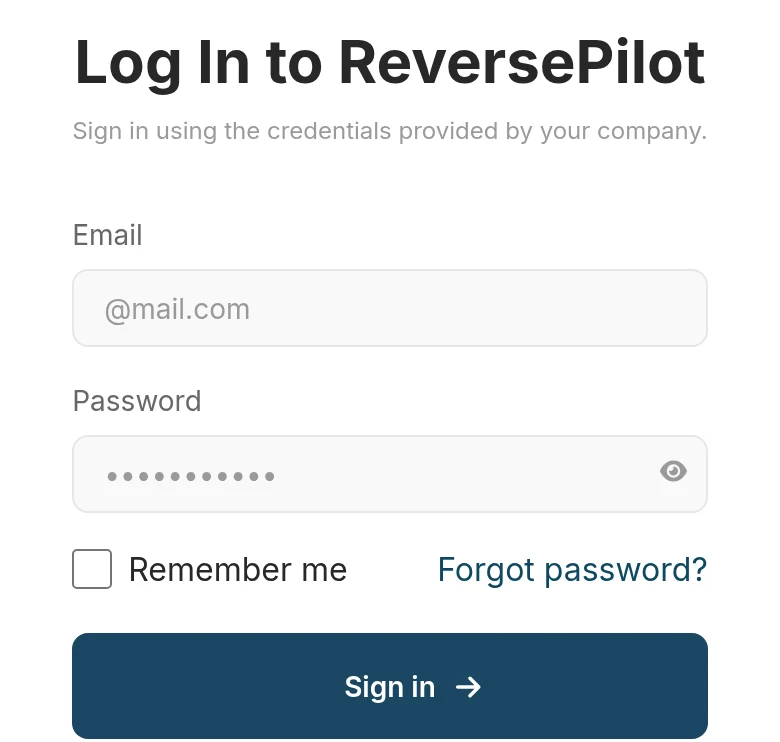
Forgot your password
If you have forgotten your password, use the self-service password reset feature:
Request a password reset
On the login page, click the "Forgot Password" link. Enter your email address and submit the form. You will receive an email with a password reset link.
Check your email
If an account with that email exists, you will receive a reset link shortly. Check your inbox and spam folder. The reset link is valid for a limited time.
Create a new password
Click the reset link in your email and enter your new password. Ensure your password meets the complexity requirements set by your administrator. Click "Reset Password" to complete the process.
Password reset for company users
For security purposes, company users must use the "Forgot Password" self-service flow or contact their company administrator for password resets. Administrators cannot directly reset passwords through the application for regular company users—they must contact ReversePilot support for assistance.
Password reset for administrators
If you are the administrator for your company and you have forgotten your password or need account assistance, please reach out to our support team directly. ReversePilot support can assist you with:
- Resetting your password
- Unlocking your account if it has been locked
- Restoring access if your account has been deactivated
- Other administrative account issues
Account status issues
Your account may prevent login if it is in one of these states:
- Inactive account: Your account has been marked as inactive by your administrator. Contact your company administrator to reactivate your account.
- Deleted account: Your account has been removed from the system. Contact your company administrator or ReversePilot support to restore access.
Troubleshooting steps
If you are still unable to log in after resetting your password, try these steps:
Verify your email address
Double-check that you are entering the correct email address. Email addresses are case-insensitive, but must match exactly what is registered with your account.
Clear your browser cache and cookies
Clear your browser's cache and cookies, then try logging in again. This resolves many temporary login issues.
Try a different browser
If you continue to have issues, try logging in with a different web browser. Some browser extensions or settings may interfere with authentication.
Check your account status
Contact your company administrator to verify your account is active and not marked for deletion. Ask them to confirm your email address and account status in the system.
When to contact support
Contact ReversePilot support if:
- You are a company administrator and cannot log in
- You cannot receive the password reset email
- The password reset link is not working
- You suspect unauthorized access to your account
- Your account needs to be restored after deletion
Security best practices
- Never share your password with anyone, including your company administrator
- Use a strong, unique password that meets your administrator's complexity requirements
- Change your password regularly
- Log out when finished, especially on shared computers
- Report any suspicious login activity to your administrator immediately
Was this article helpful?
Your feedback goes directly to the engineer who wrote it.